DPDPA Penalties Up to ₹250 Crore: The Real Cost of Waiting
July 2, 2026
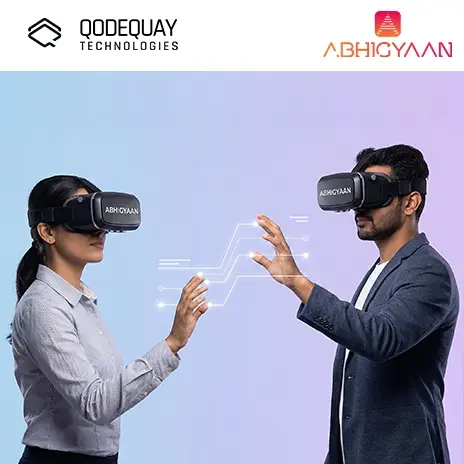
Remote work solved one problem and quietly created another. You gained flexibility and global talent access, but you lost presence, shared context, and the subtle human signals that make collaboration actually work. Video calls flattened interaction, chat tools fragmented focus, and digital fatigue crept in. This is where virtual reality in remote collaboration steps in, not as a gimmick, but as a serious evolution of how distributed teams work together.
If you are a CTO, CIO, Product Manager, Startup Founder, or Digital Leader, this matters because collaboration quality directly impacts speed, innovation, and execution. Virtual Reality changes remote collaboration from “talking about work” to “working together in shared space.” In this article, you will learn what VR collaboration really is, how it works, where it delivers value, real-world examples, best practices, risks, ROI, and what the future holds.
Virtual reality in remote collaboration is the use of shared immersive environments where distributed teams meet, interact, and work together as if they were co-located.
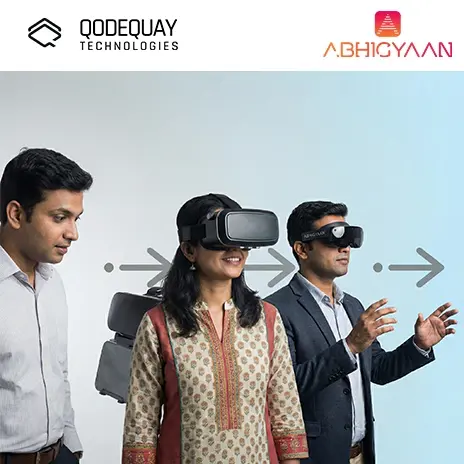
Instead of staring at grids of faces, you enter a virtual workspace. You see teammates as avatars, share spatial context, manipulate objects together, and communicate with voice and gesture. The goal is not to replace all meetings, but to restore presence where it matters.
VR collaboration platforms typically include:
This creates a sense of “being there” that flat tools cannot replicate.
LSI terms used: VR collaboration tools, immersive collaboration, virtual meetings, remote teamwork, spatial collaboration, virtual workspaces, enterprise VR, metaverse for work, XR collaboration, distributed teams, immersive meetings
Remote collaboration needs VR because traditional tools fail to recreate shared presence, focus, and embodied interaction.
Video calls work for updates, but they struggle with:
Your brain treats video calls as watching TV, not as being with people. VR flips that switch. When you stand in a shared space, turn toward a colleague, and manipulate the same object, your cognitive engagement increases.
For digital leaders, this is not about novelty. It’s about reducing misalignment, speeding decisions, and rebuilding team cohesion.
VR collaboration works by placing you and your teammates inside the same virtual environment regardless of physical location.
In practice, a session looks like this:
Unlike video calls, VR allows:
This makes meetings feel closer to real-life interactions.
VR solves the problems of disengagement, miscommunication, and lack of shared context in remote teams.
Here’s how:
When you are in VR, distractions drop. You are not multitasking across tabs. Attention improves naturally.
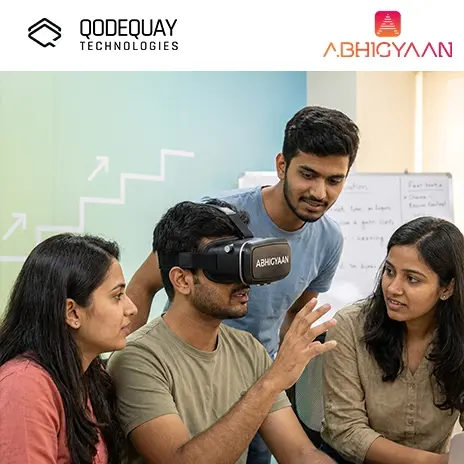
Teams can gather around the same whiteboard, design, or data visualization. Everyone sees the same thing from the same perspective.
Misunderstandings reduce when teams point, gesture, and manipulate objects together instead of describing them verbally.
Avatars may seem abstract, but spatial presence often feels more human than static video tiles.
VR collaboration benefits teams that rely on creativity, design, complex decision-making, and cross-functional alignment.
VR enables:
VR supports:
VR creates:
New hires can:
VR complements video calls by adding immersion and shared presence, not by replacing everyday communication.
Video calls are efficient for:
VR excels when:
Think of VR as the digital equivalent of workshops, labs, and offsites, not daily standups.
Enterprises are already using VR collaboration to improve productivity and innovation.
Global teams use VR to review products in 3D before anything is built physically. This reduces rework and speeds decisions.
Some distributed companies use persistent VR spaces as virtual offices, where teams can drop in, collaborate, and socialize.
Teams train together in shared VR environments, practicing scenarios and discussing outcomes in real time.
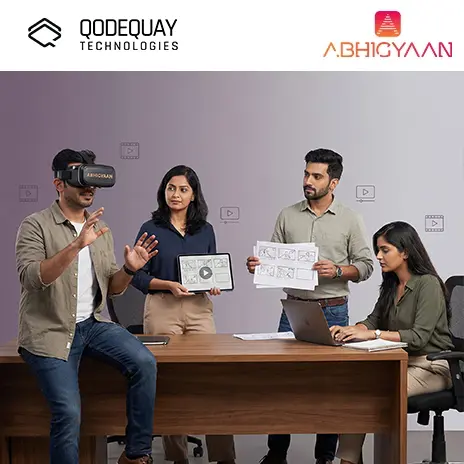
Agencies and consultancies use VR to co-create with clients, increasing engagement and clarity.
These use cases show VR collaboration working where flat tools hit their limits.
The ROI of VR collaboration comes from better decision quality, faster alignment, reduced travel, and stronger team engagement.
You see value through:
Travel reduction alone can justify investment for globally distributed organizations. The softer ROI comes from better collaboration quality, which compounds over time.
The biggest challenges are hardware logistics, onboarding friction, and use-case clarity.
Not everyone has a headset. Sharing, shipping, and maintaining devices requires planning.
First-time users need orientation. Poor onboarding leads to frustration.
Long VR sessions can be tiring. Experiences must be designed for comfort.
Using VR for routine meetings leads to resistance. VR must be reserved for high-value collaboration.
These challenges are manageable with thoughtful rollout and design.
The best VR collaboration programs are intentional, lightweight, and purpose-driven.
VR works best when it feels useful, not forced.
VR collaboration can strengthen culture by restoring shared experiences in distributed teams.
Culture forms through:
VR creates digital equivalents of:
This helps remote-first companies avoid becoming emotionally fragmented.
AI enhances VR collaboration by improving moderation, insights, and personalization.
AI can:
This turns VR collaboration spaces into intelligent work environments.
The future of VR collaboration lies in lighter hardware, mixed reality, and deeper workflow integration.
Here are the trends to watch:
You will blend physical desks with virtual collaboration tools.
Avatars will reflect expressions and eye movement more accurately.
Teams will return to the same spaces daily, building familiarity.
VR tools will connect directly with project management and design systems.
VR collaboration will feel as natural as video calls do today.
The shift will be gradual, then sudden.
The role of virtual reality in remote collaboration is not to mimic the office, but to reinvent how distributed teams work together. VR restores presence, context, and human connection where flat tools fall short. When applied thoughtfully, it becomes a strategic advantage, not a novelty.
At Qodequay (https://www.qodequay.com), you approach VR collaboration with a design-first philosophy, focusing on real human interaction and using technology as the enabler. That’s how you transform remote collaboration into meaningful, productive shared experiences that scale with your organization.

As the CEO and Founder of Qodequay Technologies, I bring over 20 years of expertise in design thinking, consulting, and digital transformation. Our mission is to merge cutting-edge technologies like AI, Metaverse, AR/VR/MR, and Blockchain with human-centered design, serving global enterprises across the USA, Europe, India, and Australia. I specialize in creating impactful digital solutions, mentoring emerging designers, and leveraging data science to empower underserved communities in rural India. With a credential in Human-Centered Design and extensive experience in guiding product innovation, I’m dedicated to revolutionizing the digital landscape with visionary solutions.
Follow the expert :


July 2, 2026

July 2, 2026
July 2, 2026
July 2, 2026

July 2, 2026
Monthly insights on AI, VR and DPDPA compliance — straight from our team to your inbox.
Free 30-minute consultation with our team — or see our products in action.