DPDPA Penalties Up to ₹250 Crore: The Real Cost of Waiting
July 2, 2026
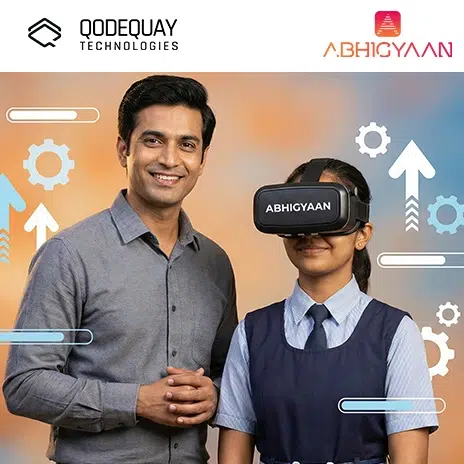
You can use virtual reality in the classroom by starting small with simple, curriculum-aligned experiences and scaling only after you see learning outcomes improve.
VR is often seen as futuristic, expensive, or “too technical.” But in reality, VR is becoming one of the most practical tools for immersive learning. It helps you teach concepts that are hard to explain with textbooks alone, especially in science, geography, history, and skill-based learning.
For CTOs, CIOs, Product Managers, Startup Founders, and Digital Leaders, VR in education matters because classrooms are becoming innovation labs. Schools and training institutions are investing in digital learning infrastructure, and VR is moving from pilot projects to long-term programs.
In this guide, you’ll learn how to introduce VR in your classroom, select the right content, manage devices, ensure student safety, build lesson plans, and measure results.
Virtual reality in the classroom is the use of VR headsets or VR-enabled devices to deliver immersive, interactive learning experiences.
Instead of reading about a volcano, you can stand inside one. Instead of watching a video about space, you can explore the solar system. Instead of imagining historical architecture, you can walk through it.
VR makes learning active, not passive.
You should consider VR because it increases engagement, improves understanding, and helps students learn by experience.
Many students struggle with traditional learning because it is:
VR helps by making lessons visual, interactive, and memorable.
It also supports different learning styles, including visual and kinesthetic learners.
The subjects that benefit most are those where visualization, exploration, or simulation improves understanding.
VR is not limited to one subject. It is a cross-subject accelerator.
You start using VR by running a small pilot lesson, collecting feedback, and building a repeatable routine.
VR works best when it supports the lesson, not when it becomes the lesson.
You need a practical combination of VR headsets, safe space planning, and device management tools.
There are two main VR options:
These are the most common today. They do not need a computer.
Benefits:
These require a powerful computer.
Benefits:
For most classrooms, standalone VR is the easiest entry point.
You manage VR safely by creating clear rules, using short sessions, and supervising movement.
VR is safe when you treat it like lab equipment, not like a toy.
You create VR lesson plans by designing around learning outcomes, not around the VR content.
A strong VR lesson has 3 parts:
The learning happens most strongly after the VR experience, when students reflect.
You can use VR immediately for virtual field trips, science simulations, and interactive storytelling.
Even one VR activity per month can significantly boost engagement.
You handle this by providing alternative learning paths and ensuring no student feels excluded.
Some students may:
VR should expand access, not create new barriers.
You measure VR success by comparing learning outcomes before and after VR-based lessons.
The goal is not “students enjoyed it.” The goal is “students learned better.”
The biggest mistakes are using VR without structure, running sessions too long, and choosing content that is not aligned with the curriculum.
VR becomes effective when it is guided and intentional.
The future will include AI-powered learning simulations, cheaper headsets, and more personalized education experiences.
VR will become a normal teaching tool, especially in STEM and skill-based education.
Qodequay helps you design VR learning experiences that are engaging, measurable, and aligned with real classroom needs.
Successful VR in education is not about buying headsets. It is about designing learning journeys that work in real classrooms, with real time limits, real student diversity, and real curriculum goals.
At Qodequay (https://www.qodequay.com), you take a design-first approach, solving human learning challenges with technology as the enabler.
Virtual reality is not here to replace teachers. It is here to strengthen what great teachers already do: explain, inspire, and make learning meaningful.
When you use VR with clear learning goals, structured lesson plans, and inclusive classroom practices, you create experiences students remember for years, not just for exams.
At Qodequay (https://www.qodequay.com), you bring a design-first mindset to immersive learning, building classroom-ready VR solutions that solve real human problems, with technology as the enabler.

As the CEO and Founder of Qodequay Technologies, I bring over 20 years of expertise in design thinking, consulting, and digital transformation. Our mission is to merge cutting-edge technologies like AI, Metaverse, AR/VR/MR, and Blockchain with human-centered design, serving global enterprises across the USA, Europe, India, and Australia. I specialize in creating impactful digital solutions, mentoring emerging designers, and leveraging data science to empower underserved communities in rural India. With a credential in Human-Centered Design and extensive experience in guiding product innovation, I’m dedicated to revolutionizing the digital landscape with visionary solutions.
Follow the expert :


July 2, 2026
July 2, 2026
July 2, 2026
July 2, 2026

July 2, 2026
Monthly insights on AI, VR and DPDPA compliance — straight from our team to your inbox.
Free 30-minute consultation with our team — or see our products in action.